Locals
Locals is a Mac menu bar app for the dev servers running on your machine. It shows which project each one belongs to and who started it, and opens any of them on your phone in one scan.
- Role
- Design & Code
- Year
- 2026
- Version
- v1.0
- Status
- Launched
- Links
- Site
What it is
Locals is a Mac menu bar app that shows every dev server running on your machine.
Click the icon and they’re all there, each with its project name, framework, git branch and port. The number in the menu bar tells you how many are running before you even click.
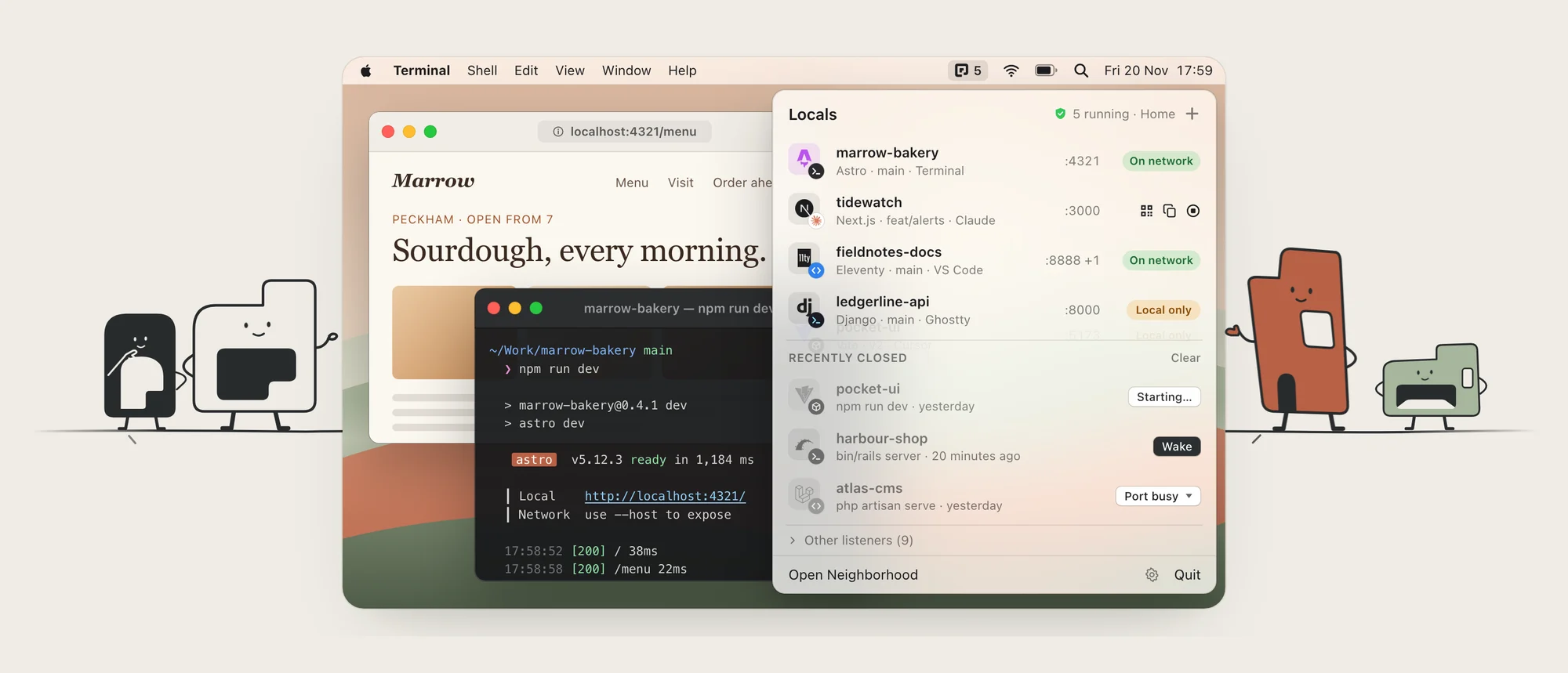
THE MENU BAR PANEL · WITH THE NEIGHBOURS
Why I made it
I kept losing track of my localhosts.
It used to be simple. I started a server in Terminal, I knew where it was. Now different things kick them off: VS Code, Claude, Codex, Terminal, among others. Half the time I didn’t start the thing on port 3000 myself, and I couldn’t tell you which project it belonged to.
So I made something that tracks them all in one place and tells me who started each one.
What it does
- Finds every server. Locals picks up every dev server on your Mac on its own. No setup, nothing to register.
- Hides the noise. Spotify, Dropbox, AirPlay and your editor’s language servers all sit on ports too. Locals leaves those out.
- Shows the project, not just the port. Name, framework logo, git branch, page title, response time, CPU and memory.
- Tells you who started it. Every server gets a small badge for whatever launched it: Terminal, VS Code, Claude, Codex and so on. It still knows after the thing that started it has gone.
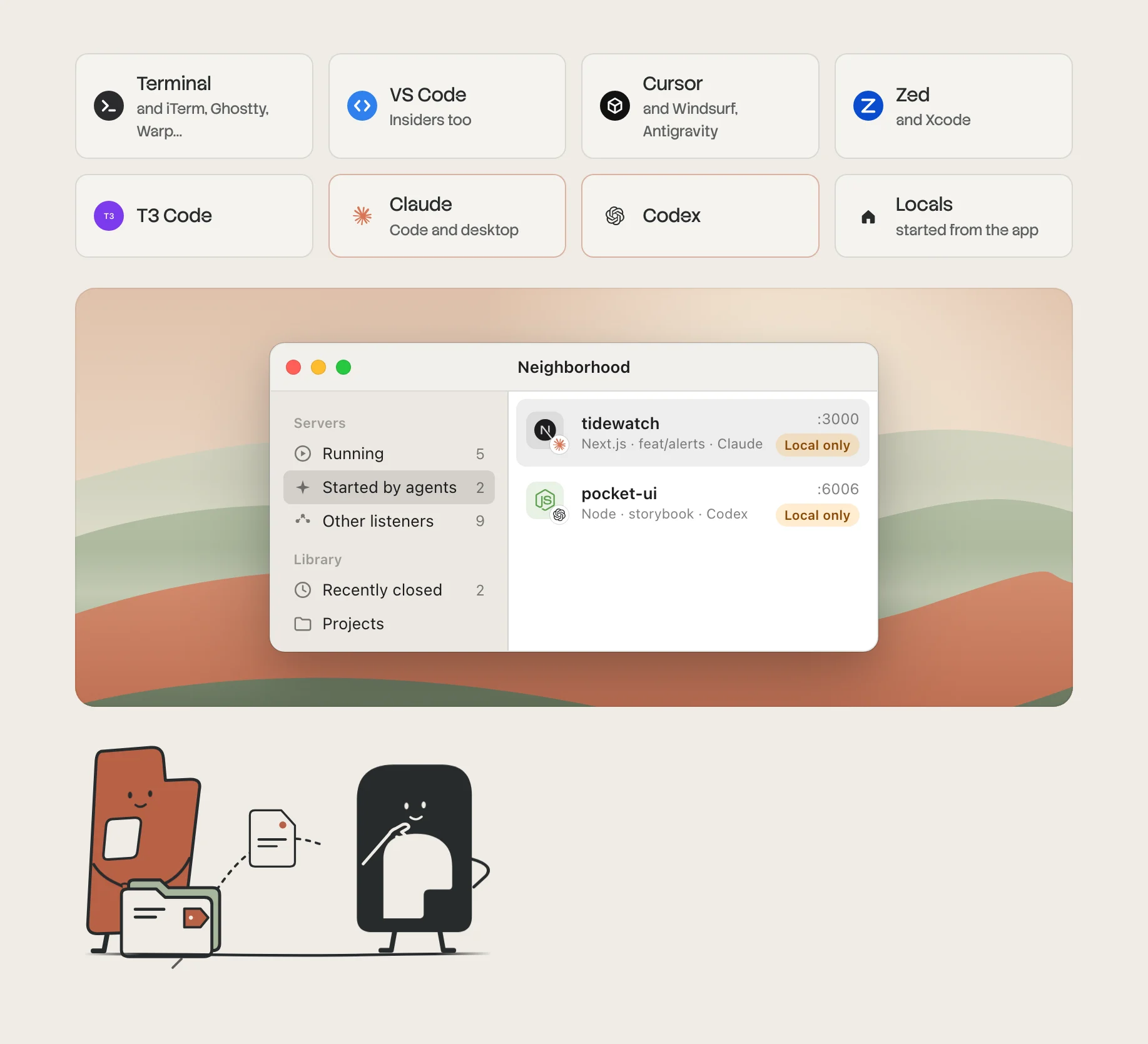
WHO STARTED IT · A BADGE FOR EVERY LAUNCHER
- Starts, stops and restarts. Start any project from your project folders with the right package manager. Stop one, or force stop it, along with everything it spawned.
- Brings servers back. Recently closed servers can be woken with the command you originally typed. If the port is busy, it stops whatever is holding it first.
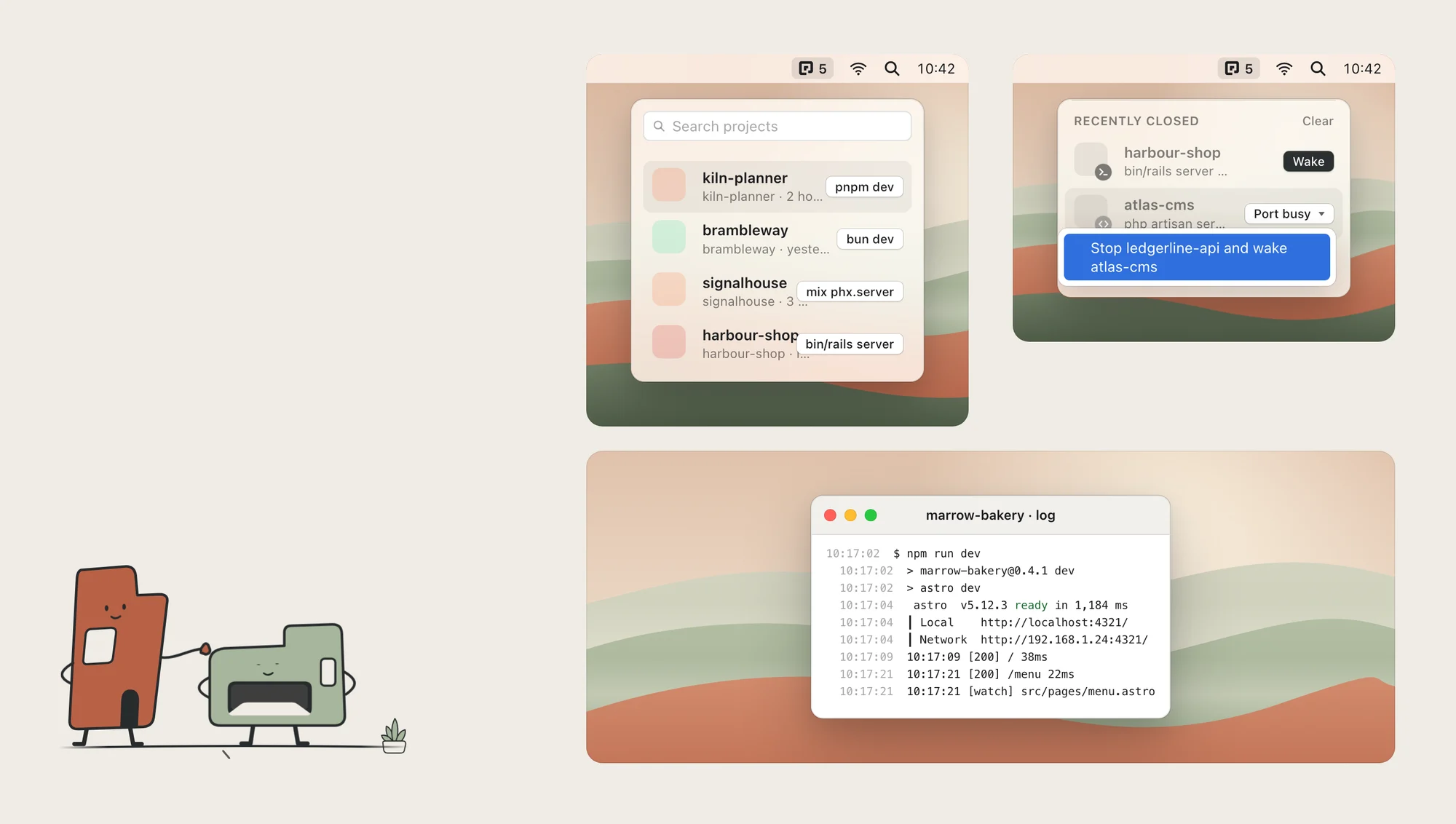
START, STOP AND WAKE · PLUS A LIVE LOG
- Start Doctor. When a project won’t start, Locals says why in plain English: wrong Node version, missing dependencies, no
.env. Each fix is one click, and it shows you the exact command first.
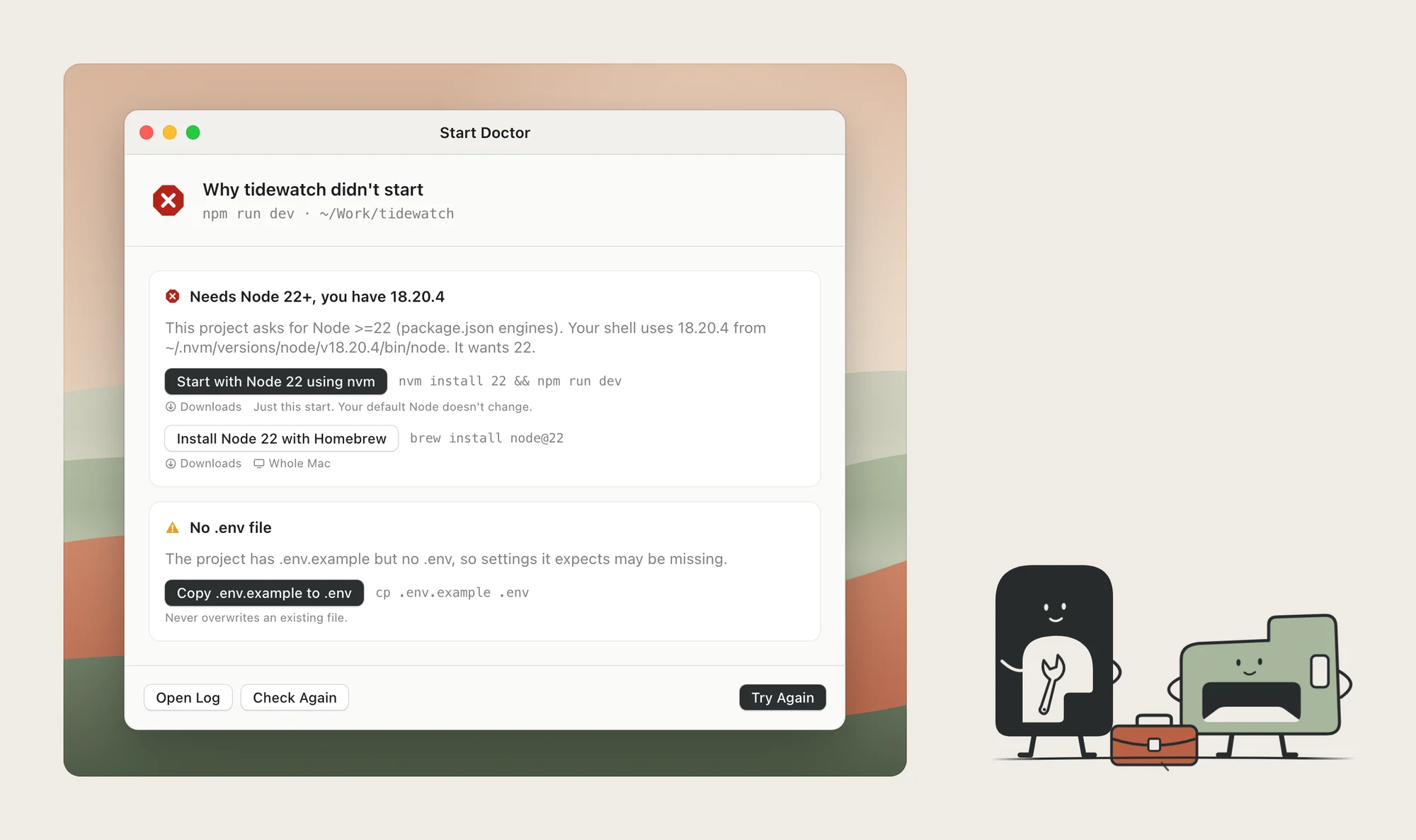
START DOCTOR · WHY IT DIDN'T START, AND THE FIX
- Opens on your phone. Every server gets a network link, a QR code and AirDrop. Scan it and the site is on your phone.
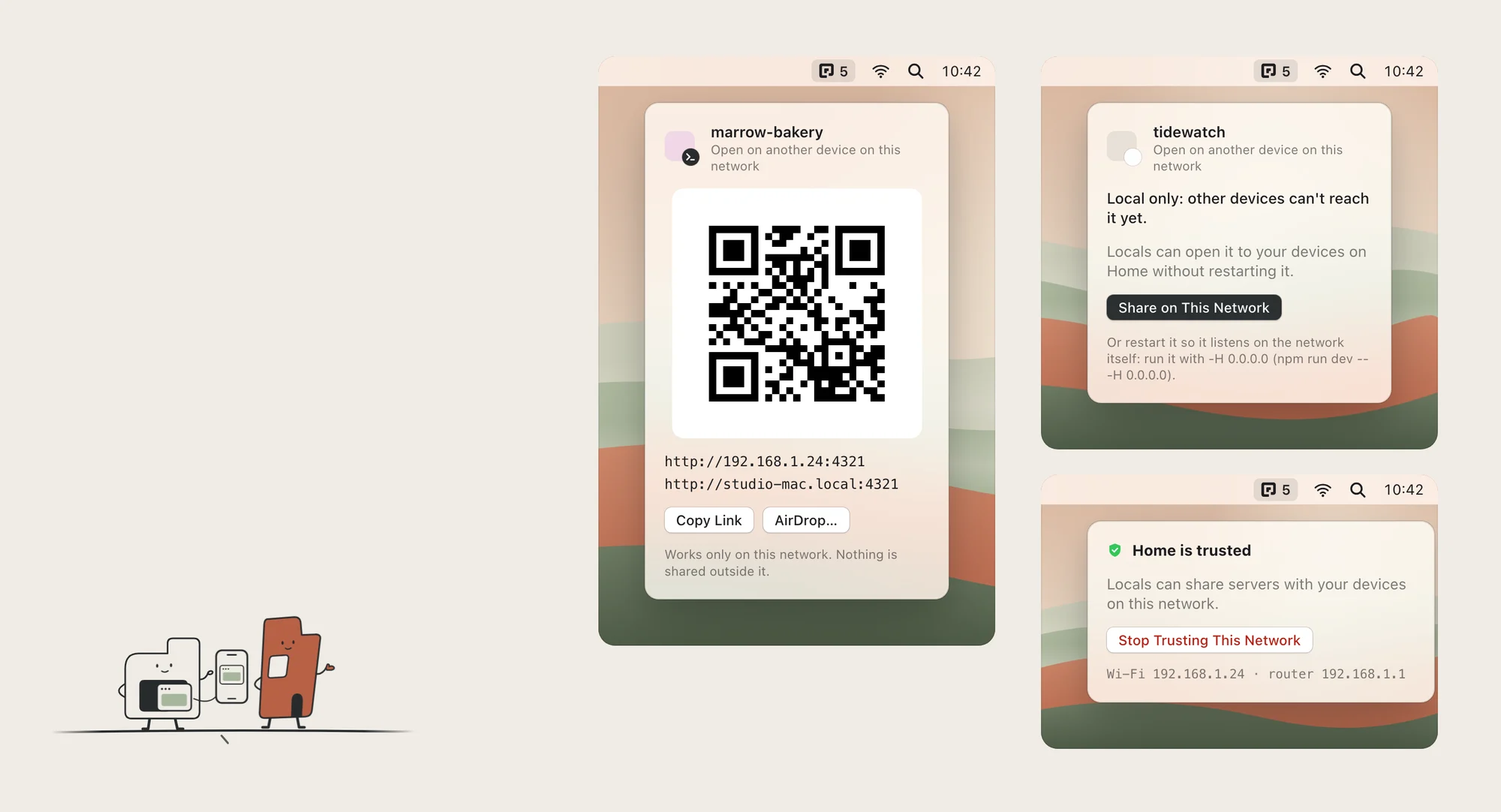
SHARE · A QR CODE, ON NETWORKS YOU TRUST
- The Neighborhood window. A bigger view when the menu isn’t enough, with health, CPU history, details and output for each server.
- Stays private. No internet connections, no account, no analytics. Nothing is reachable from your network unless you share it, and only on networks you trust.
Where it is now
Version 1.0 is out. It’s free, and runs on macOS 15 or later, on Apple silicon and Intel.