
ZAP
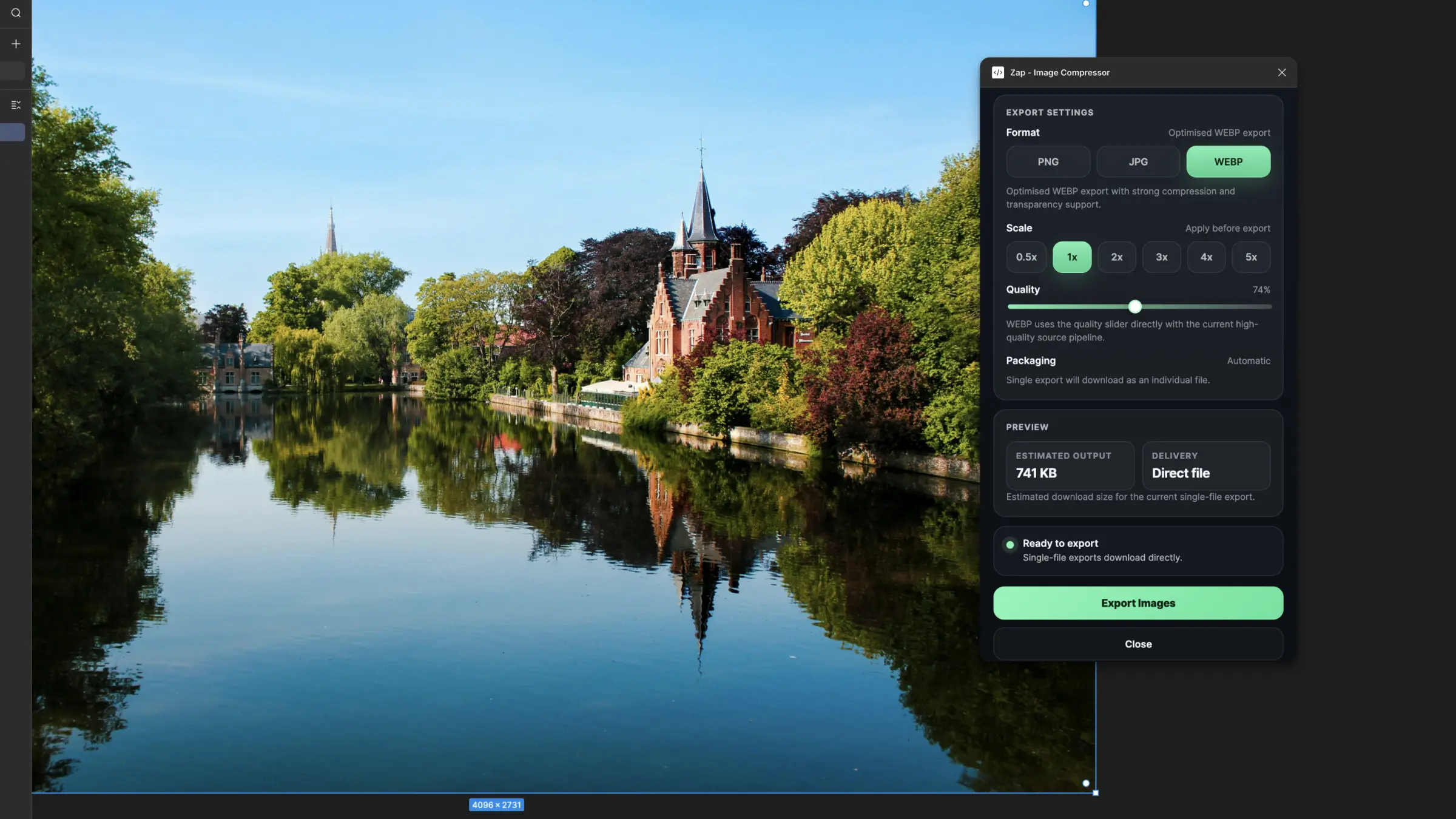
ZAP is a Figma plugin for exporting compressed PNG, JPG and WEBP assets with file-size previews, ZIP packaging and cleaner batch image export controls.
- Role
- Design & Code
- Year
- 2026
- Status
- In progress
What it is
ZAP is a Figma image export plugin built to solve a boring but constant problem: getting assets out of a design file in the right format, at the right scale, without wrestling with Figma’s default export flow every time.
Select one layer and it downloads directly. Select multiple and it packages everything into a ZIP. PNG, JPG and WEBP are supported, with scale controls, quality controls, presets for common delivery targets and file-size previews before export.
It’s not trying to become an asset pipeline. It’s a small utility that makes one repetitive job feel much better.
Why
Figma’s built-in export is fine until you need more control. As soon as you want cleaner WEBP output, a lighter JPG, safer PNG optimisation, or a predictable batch workflow, you end up bouncing between export panels, external tools and renamed files.
I wanted a plugin that stayed inside the design workflow and handled the practical stuff properly: decent compression, sensible defaults, duplicate-safe filenames, direct download for one file, ZIP packaging for many and enough previewing to avoid exporting blind.
The goal was not “maximum features”. It was a better export experience.
How it came together
The first version focused on the basic loop: read the current Figma selection,
export source bytes with exportAsync(), then process those bytes in the
plugin UI into the final format.
That turned out to be the real shape of the project. The hard part was not the UI. It was the compression pipeline and the runtime constraints around browser-based export inside a Figma plugin.
WEBP and JPG settled into a good path fairly quickly. Export PNG source bytes from Figma, then generate the final output in the UI with the right encode path for each format. WEBP especially improved once it stopped taking unnecessary intermediate steps and started from PNG source data instead.
PNG was messier. It is very easy to make a PNG “smaller” in ways that are technically true but visually worse. Early optimisation passes were too aggressive, especially for UI assets, icons and text-heavy exports. That part had to be pulled back. The current pipeline is more conservative: it still tries to improve file size, but it defaults toward fidelity and falls back to the original source when the safer optimisation is not worth it.
The batch workflow also changed shape as the project became more realistic. Triggering lots of separate downloads sounds simple, but it is not especially reliable inside plugin and browser runtimes. The final product direction became much clearer once I stopped pretending that was the ideal path. Single file: direct download. Multiple files: automatic ZIP. Simpler, more honest, more dependable.
From there the rest was refinement: presets, file-size previews, better status messaging, cleaner handling for duplicate names and a UI that feels more like a small polished tool than a debug panel.
What’s next
Better presets for more delivery targets. Smarter previewing. Potentially a deeper PNG pipeline if it can improve results without tipping back into destructive optimisation.
The plugin is already useful, but this is still one of those tools where the long tail matters: the best version is the one that quietly handles edge cases without making the user think about them.