
MegaWord v2.0: Everything That Changed
Tim Potter
Designer, maker and co-founder of Little Thunder
Four months after shipping MegaWord for the Sega Mega Drive, I rebuilt most of it. Twelve animated backgrounds, an original soundtrack, a repaired word list, and a bug that only showed up on a real CRT.
I released MegaWord v1.0 at the end of June.
For about a week I was delighted. Then I started playing it properly, and a list began.
Not a bug list. Worse than that. A list of all the small, unglamorous things that separate “this works” from “this is finished”. The backgrounds sat there completely still. The word list rejected YEARS. There was a row of coloured dots flickering under the picture on my actual Mega Drive that I had been pretending not to see for about two months.
v2.0 is four months of working through that list.
The gameplay hasn’t changed at all. Five letters, six guesses, same rules. Almost everything around it has.
Here’s the launch trailer. The rest of this post is what’s behind it.
The Backgrounds Needed To Move
This was the big one.
In v1 the pixel-art backgrounds were beautiful and completely dead. Static images. On a Mega Drive, that reads as a screenshot rather than a scene, and once you notice it you can’t stop noticing it.
The problem is that you can’t just animate things on this hardware. There’s no spare CPU to be redrawing a forest. What you have instead is the palette.
So the backgrounds don’t really animate. They bake. I wrote a tool that walks the artwork, works out which pixels belong to an effect, moves those pixels onto their own tiles, and writes out a loop of palette and tile updates that can be pushed to the VDP in a handful of DMA runs per frame. Ground, rock, roads, buildings and tree trunks never change. Only the bits that should.
All twelve scenes have a loop now:
- The beach gets wind gusts through the palms, shimmering water in five palette groups, and a blinking masthead light on the yacht.
- The saloon has flickering lamplight and a turning windmill.
- The city has shimmering reflections, windows switching off and on, and a red aircraft light blinking somewhere in the distance.
- The jungle has a flowing waterfall and fireflies.
- Underwater has light rays, swaying kelp, bobbing fish and rising bubbles.
- And every scene with open sky gets a shooting star roughly every thirty seconds.
Trees are anchored at the trunk, so a gust shifts one band of the crown at a time rather than sliding the whole tree sideways, which looked ridiculous the first time I tried it.
The budget for all of this is 1,120 tiles per scene and the busiest frame on the beach comes in at 76 tiles. Merging duplicate palette entries freed enough space that two of the scenes actually got smaller while gaining animation.
I also found that the twinkling stars in v1 had been drawn at the same five screen positions on every single background. Sprites draw in front of the scene, so on most of them a star was sitting cheerfully in the middle of a palm tree, a roof, or a planet. Each background now carries its own star positions, on open sky, clear of the board and keyboard.
Four months and nobody had mentioned it. I’m choosing to believe nobody noticed.
Music, Made On A Mega Drive DAW
v1.0 had sound effects and nothing else. No music at all. It shipped that way because I ran out of road, and a silent Mega Drive game is a strange thing to hand someone.
v2 has four original tracks: Sunset Drive, Belle, Cheddar and Harbour Light. Sunset Drive plays at startup and the Music setting cycles through the rest, or off entirely. Music and sound effects are separate settings, so you can turn the soundtrack off and keep the key clicks.
All four were written in Megalodaw, a Mega Drive DAW I’ve been building on the side for exactly this purpose. It’s my own build on top of MD Synth DAW, reshaped around the way I wanted to work.
It enforces the real channel limits, six FM channels, four PSG and one DAC, so there’s no writing something lovely and then finding out the hardware can’t play it.
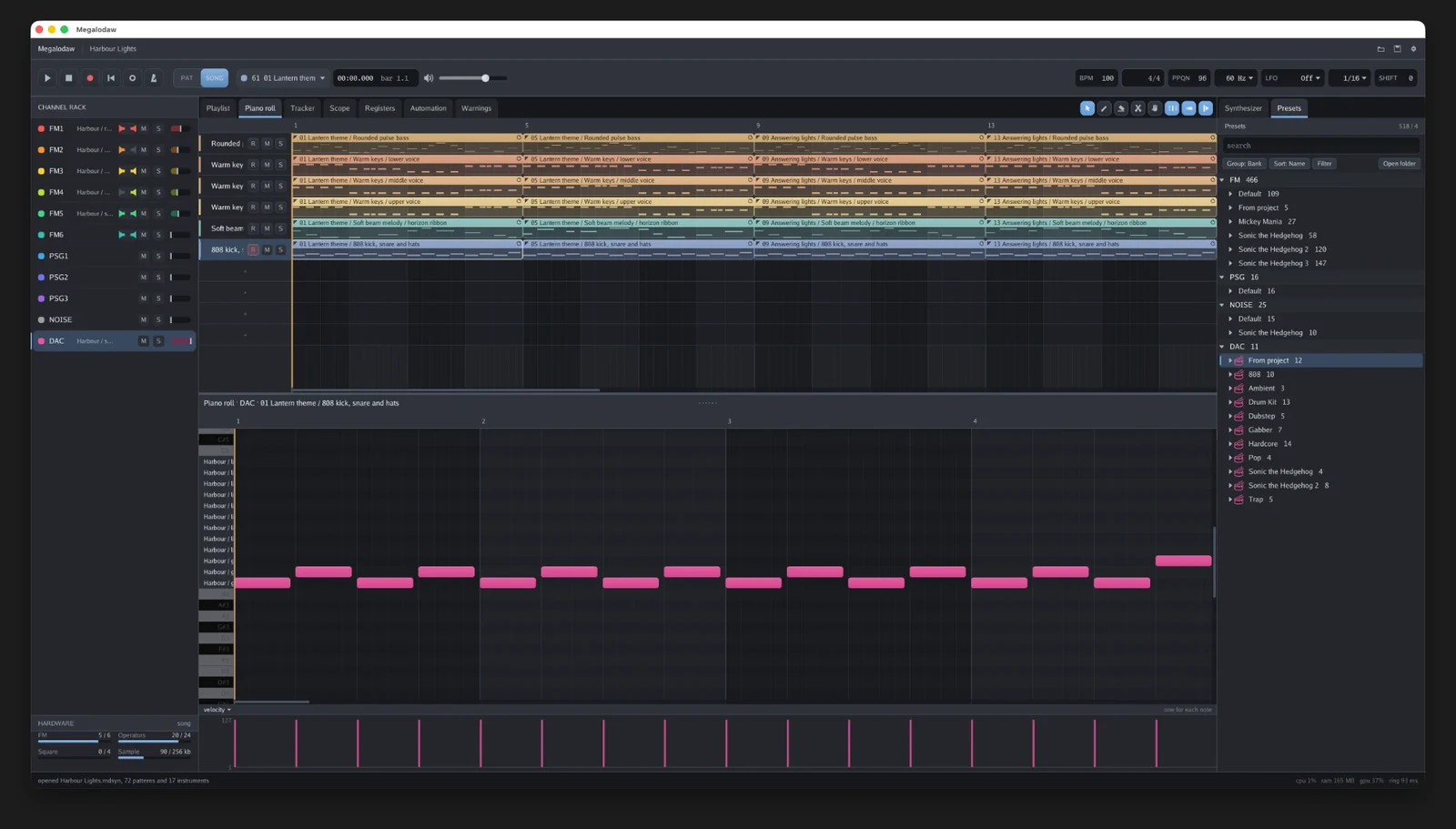
Which is a slightly absurd sentence when you read it back. I built a tool to make the music for the game I built. At some point a side project grows a side project.
It is, genuinely, the part of v2 I’m happiest with. The game went from having sound to having a soundtrack.
It also took two goes. The first set of tracks went in and then came straight back out again. They were fine, and fine is not a reason to put something in a cartridge.
The Word List Was Quietly Broken
MegaWord’s accepted-guess list in v1 came from the dictionary file that ships with macOS. That file is Webster’s 1934.
Two things follow from that, and both of them are bad.
First, a 1934 dictionary has no plurals and no verb forms. So the game cheerfully rejected YEARS, DUCKS and TARES as not words, which is an infuriating thing to happen on guess four.
Second, a 1934 dictionary contains a great deal of language that a word game in 2026 should not be accepting as a valid guess. It had been sitting in the ROM the whole time.
The lists are now built from scratch:
- 2,283 answers, from the curated NYT list with 26 words removed, and no simple plurals.
- 7,917 guess-only words: the 1934 list with 159 slurs, vulgarities and assorted unpleasantness taken out, plus 1,765 reviewed common words added back in, mostly the plurals and past tenses that should have been there all along.
- A denylist of 322 words that can never appear in either list, checked at build time. If a word ever sneaks back in, the build fails rather than shipping.
10,200 words are guessable. YEARS works now.
A Full Visual Pass
Between v1 and v2 the whole interface got rebuilt.
There’s a fresh UI kit: palettes, font, board tiles, keys, HUD, callouts and menu art, all redrawn and rebuilt from scratch. The letters are sprites now, with a small pop when you type and another when a tile reveals, a shake on an invalid word, and a wave across the row when you win.
Screens fade into each other instead of snapping. Menus are drawn over a dimmed version of the game scene behind them. Button prompts use proper controller badges rather than the letters A, B and C in text. And there are three keyboard colour themes, because I could not decide between them and eventually realised I didn’t have to.
Then a whole separate pass went on spacing. Stats labels centred on four even columns. Guess distribution on a consistent row pitch. Callouts a tile higher so they clear the keyboard. Nothing you would ever consciously notice, and all of it the difference between a fan project and a game.
That’s the part of this work I find hardest to explain to people. The gameplay took weeks. The spacing took days, and the spacing is what makes it feel real.
The Dots In The Border
My favourite bug of the whole project.
On my Mega Drive 1 connected to a CRT, a short row of coloured dots would flicker in the black border underneath the picture. Never in emulation. Only on the real thing, only on that TV.
They were CRAM dots. On real hardware the VDP draws whatever colour is being written to palette memory at wherever the electron beam happens to be at that moment. SGDK flushes its DMA queue as soon as vblank starts at line 224, but on PAL the VDP then keeps drawing the border for another 32 lines below the picture, and a CRT happily shows you all of it.
My new background animations were pushing palette updates through that queue. The screen fades were writing palette data immediately after vblank processing. Both landed squarely in the visible border.
The fix is a small module that holds palette writes in a vblank callback until the V counter has left the border. Measured with an instrumented build in Genesis Plus GX: before, 45 of 48 scene palette writes were landing on PAL lines 231 to 234. After, every one lands on the first properly blanked line, on both PAL and NTSC. It costs a wait of about 25 lines, and only on frames that actually change a palette.
This is the thing about writing for hardware from 1988. An emulator will tell you your game is perfect. A CRT in your living room will tell you the truth.
Making The Cartridge Behave
While getting the release ready, my flash cart app threw up a warning: ROM file and header sizes differ.
It turned out the ROM header was still mostly SGDK’s sample header. It claimed a 1MB ROM and save RAM the game doesn’t use. SGDK’s build pads to a 128KB boundary rather than the size the header declares, and the checksum it writes isn’t the standard one.
The console itself doesn’t check any of this. Flash carts and some emulators very much do.
So v2 has a real header: MEGAWORD, serial GM MEGAWORD-02, three-button pad, no save RAM, regions JUE. A build step now pads the ROM to its declared size, refuses to build if the ROM has outgrown it, and writes the proper 16-bit checksum.
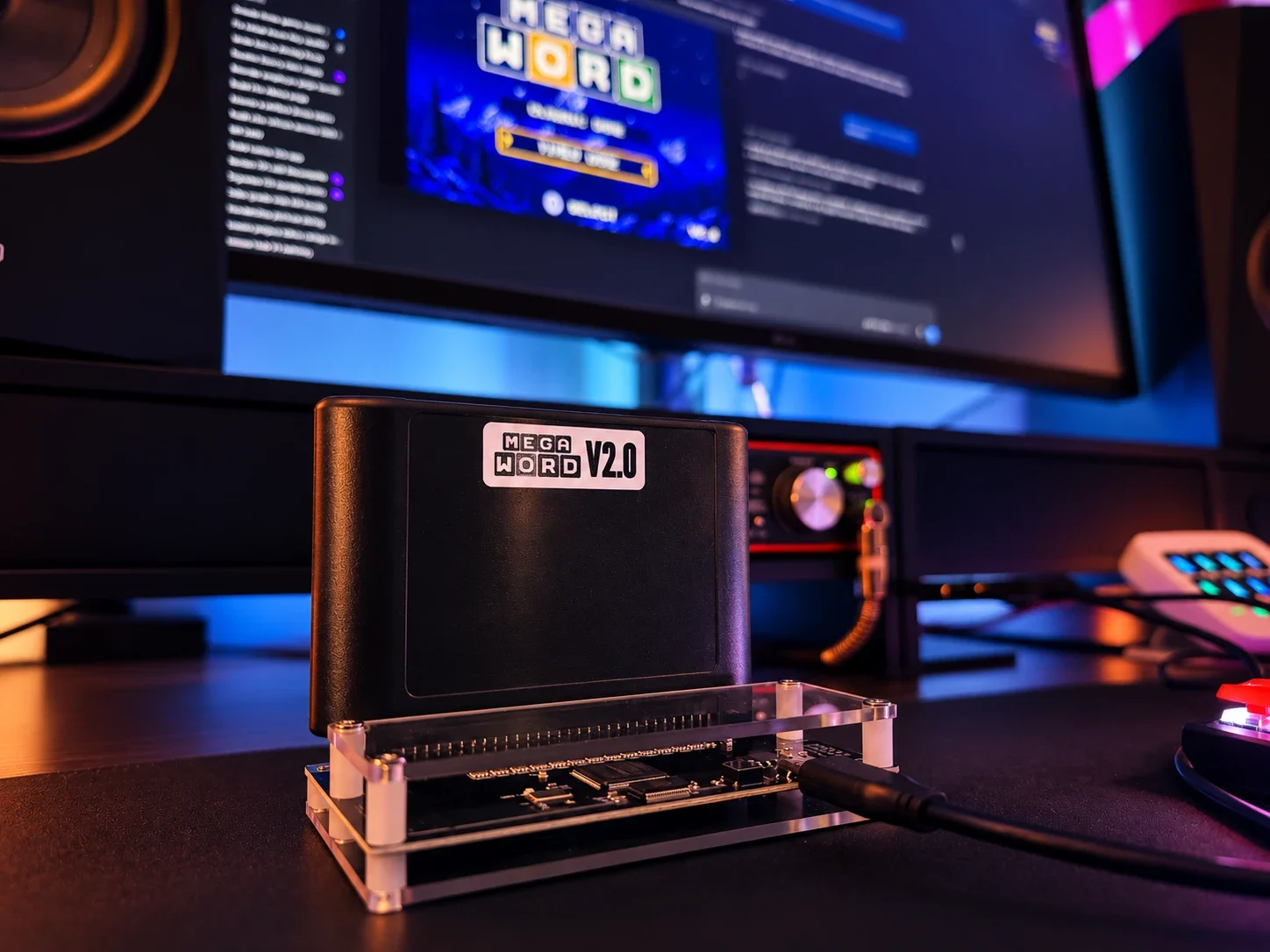
Between the soundtrack and roughly 260KB of animation frames, the ROM outgrew 2MB during development and now sits on a standard 4MB cartridge. v1.0 was 768KB. It’s five and a half times the size, for a game with identical rules.
The Timer Was Lying
A small one that bothered me for months.
In timed mode the clock counted function calls rather than elapsed time. Pause the game or sit through a screen fade and those frames quietly didn’t count. The clock also kept running while a winning word revealed itself, so it was technically possible to solve the word and still lose.
The timer now follows the hardware’s own frame counter, so paused and faded time is counted properly. A correct guess stops the clock immediately. And the fade into a round is free, which it should always have been.
The Bit That Doesn’t Change
Most of v2 was slow, unglamorous work.
Reading VDP timing documentation. Building an instrumented ROM to count which scanlines a palette write lands on. Measuring again afterwards to prove the fix did what I thought it did. Moving a label two pixels and looking at it again.
Modern tooling helps with that kind of grind, and I used plenty of it, same as I did on v1. I wrote about that side of things at length in the original build log and my view hasn’t really moved: it is very good at the measuring and the repetition, and no use at all for deciding what should be made in the first place.
Because nobody told me the backgrounds felt dead. Nobody told me the stars were sitting in the trees. Nobody told me the spacing was off by two pixels.
That’s still the job.
Go And Play It
v2.0 is on itch.io as a free download, and it runs on an EverDrive or any flash cart that takes a 4MB ROM, as well as in RetroArch with Genesis Plus GX, or BlastEm.
Next up is the physical run I keep talking about, with flash carts, sleeves, labels and hopefully a manual, along with stats that survive a power cycle, more challenge modes, and whatever else fits on the cartridge.
v1.0 was the version where I proved I could finish a Mega Drive game.
v2.0 is the version I actually want people to play.