
Introducing Locals
Tim Potter
Designer, maker and co-founder of Little Thunder
Locals is a free Mac menu bar app that shows every dev server running on your machine, which project it belongs to and who started it.
I’ve made a Mac app. It’s called Locals, it lives in your menu bar, and it’s free.
It shows every dev server running on your machine, which project each one belongs to and who started it.
Why
I kept losing track of my localhosts.
It used to be simple. I started a server in Terminal and I knew where it was. Now different things kick them off: VS Code, Claude, Codex, Terminal, among others. Half the time I didn’t start the thing on port 3000 myself, and I couldn’t tell you which project it belonged to.
So I made something that tracks them all in one place.
What it does
Click the icon and every server is there, with its project name, framework, git branch and port. The noise is left out, so no Spotify, no AirPlay, no language servers.
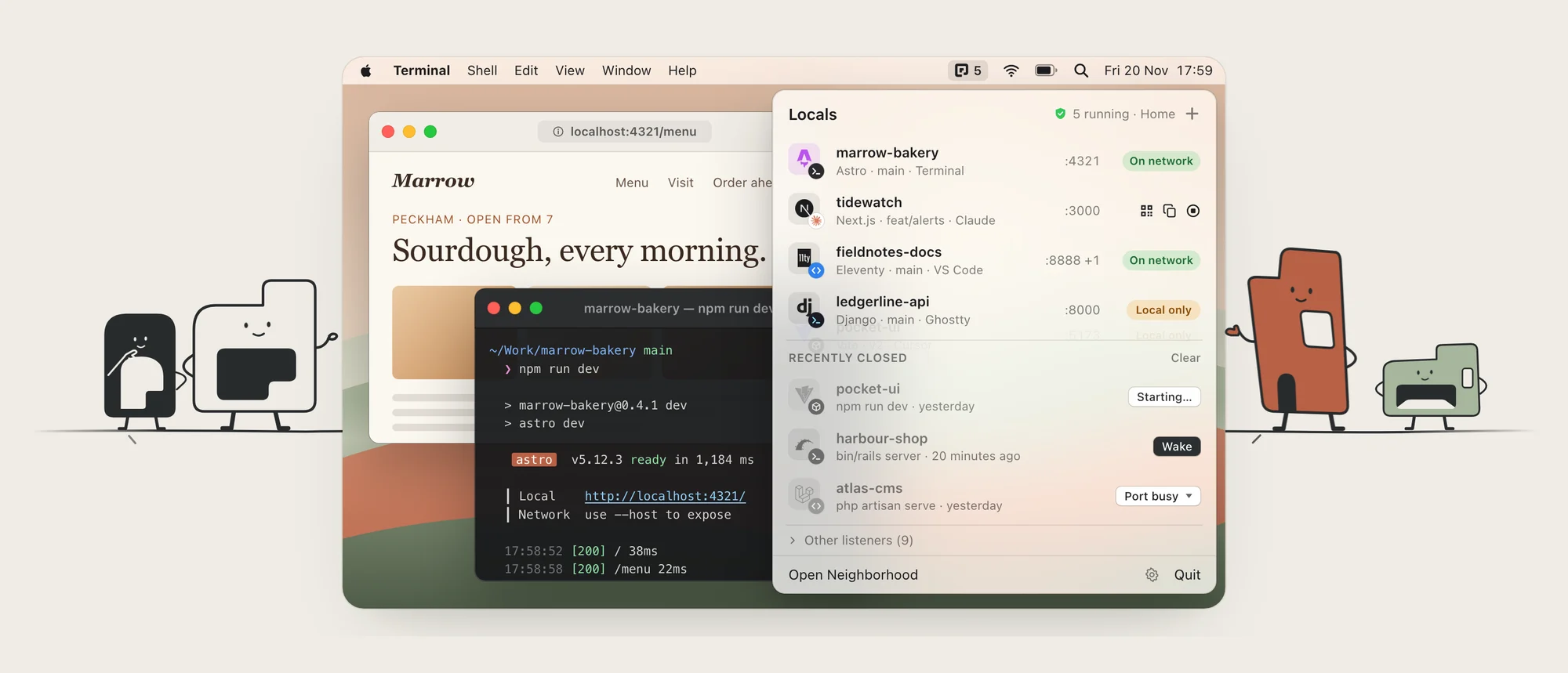
THE MENU BAR PANEL
Each server gets a small badge for whatever launched it. That was the bit I wanted most.
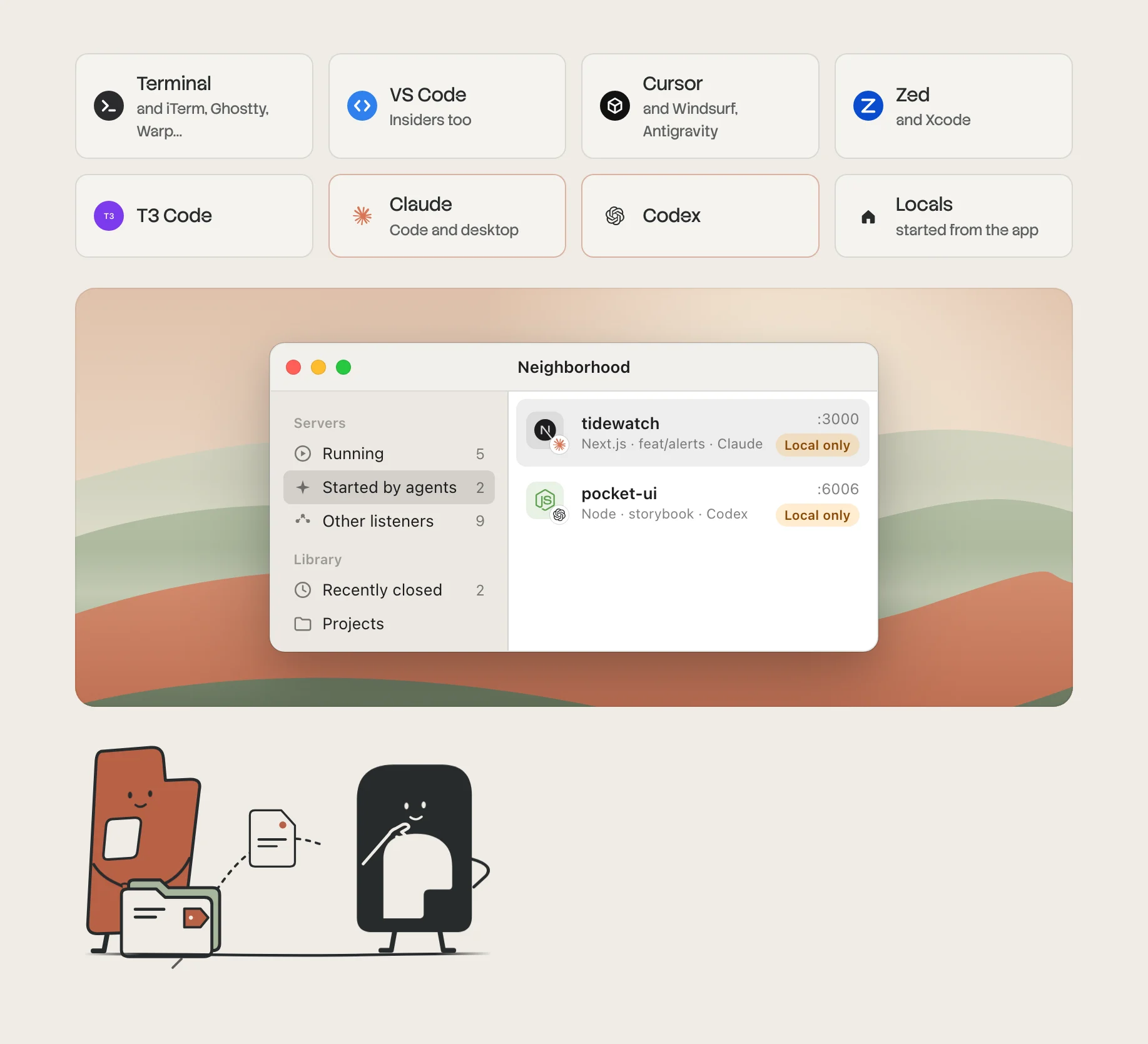
WHO STARTED IT
You can start, stop and restart servers from the menu, and wake the ones you closed yesterday. When a project won’t start, Start Doctor tells you why in plain English and offers a one-click fix.
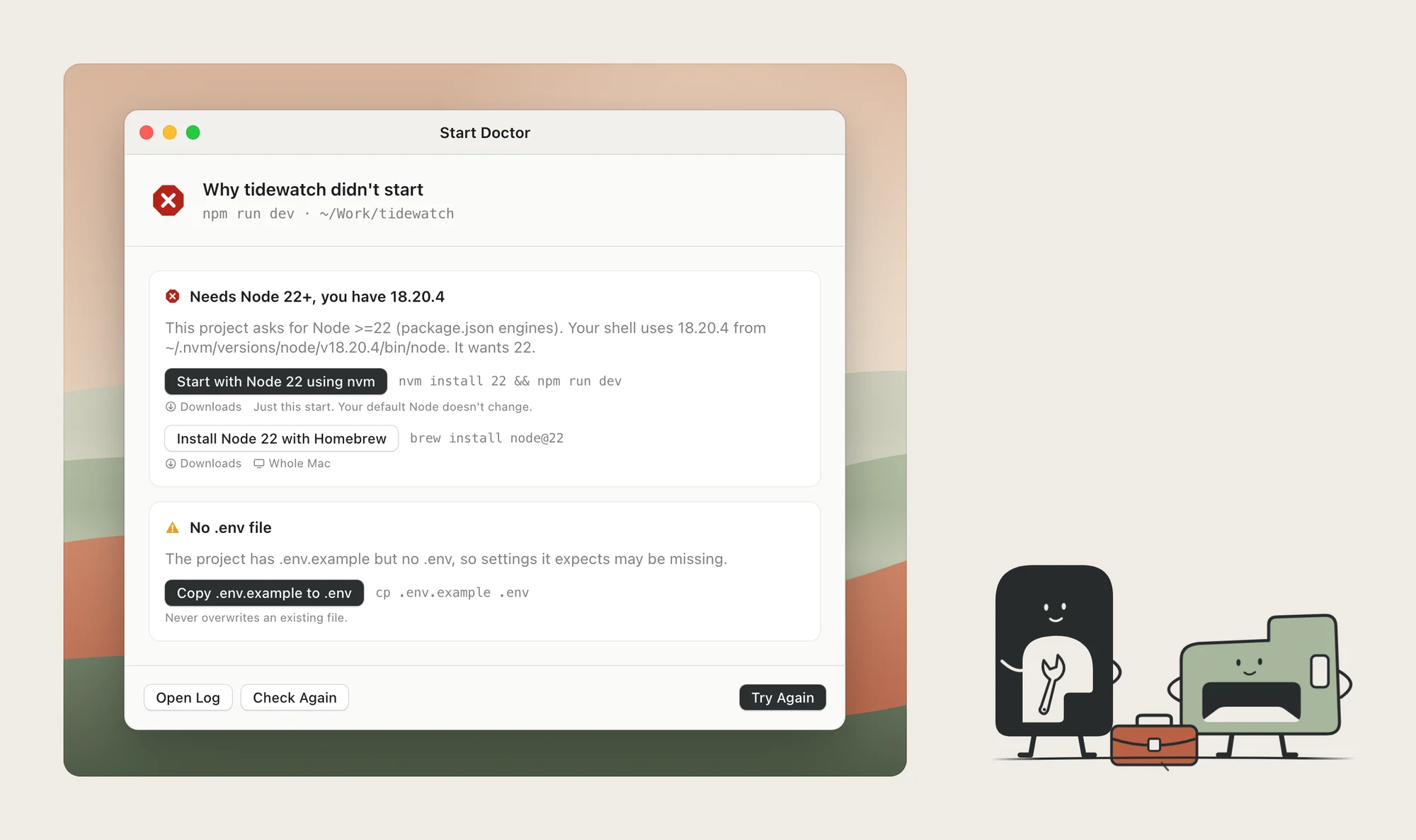
START DOCTOR
It will also put any server on your phone with a QR code. That only works on networks you trust, and nothing leaves your Mac unless you say so. No account, no analytics.
Get it
Locals is free. It runs on macOS 15 or later, on Apple silicon and Intel.
Download it at localsformac.com, or read more on the project page.